MAGI-2 Reference to Video: Images and a Clip
Use up to 4 reference images and one short video to keep a character, outfit or place the same in MAGI-2. Steps, prompt wording and what each length costs.
Quick answer
Reference to video lets you give MAGI-2 pictures and a short clip to follow, on top of your written prompt. On Magi2.one, open the generator, pick Reference, add up to 4 images and one 2 to 15 second video, and name them in your prompt as image 1, image 2 or the video. MAGI-2 uses them as guides for who and what appears and how it moves. They do not become the first frame. You pick the length from 4 to 30 seconds, and the price depends only on that length: 24 credits per second, so 120 credits for 5 seconds.
What is reference to video?
Sand.ai lists multimodal referencing as one of MAGI-2's main features, and its launch post names "high reference fidelity" among the model's strengths. In practice it covers three jobs:
- Keep a character the same across clips, using one or two clear photos of the face and outfit.
- Put a product or object in a scene, using a clean photo of the item.
- Copy a movement or camera move from a clip you already have, using the reference video.
It differs from image to video. There, your photo is the first frame and the video grows out of it. In reference mode, the images and clip are guides, and MAGI-2 builds a new shot from your prompt.
How do you use reference mode on Magi2.one?
- Open the generator on the home page and pick the Reference tab.
- Add your references. Up to 4 images in JPG, PNG or WebP, and one MP4 or MOV video from 2 to 15 seconds and under 50 MB.
- Write the prompt and name each reference. For example: "The woman from image 1 wears the jacket from image 2 and walks through the street from image 3. Copy the camera move from the video."
- Pick a length and generate. Choose 4 to 30 seconds. The finished clip lands in My videos in about 5 to 10 minutes.
If a video fails, we put the credits back.
Which references work best?
| Reference | Works well | Causes problems |
|---|---|---|
| Person | One person, face visible, even light | Group photos, sunglasses, heavy filters |
| Outfit or product | Item on a plain background, fully in frame | Item cut off or hidden behind hands |
| Place | Wide shot with clear features | Close crops that show only a wall or floor |
| Video | One clear movement or camera move | Fast cuts between many shots |
Use each image for one job. A photo of a person wearing the outfit you want can do two jobs, but separate photos give you more control.
Only upload photos you own or have permission to use. Do not upload photos of children.
How should you write a reference prompt?
Name every reference and say what to take from it:
The man from image 1, in the leather jacket from image 2, walks into the bar from image 3 and sits at the counter. Follow the slow side tracking move from the video. Warm low light. Sound: quiet jazz, glasses clinking.
Three rules help:
- Say what to keep. "Keep the face and hairstyle from image 1" is clearer than "use image 1".
- Say what to change. If the reference photo was shot in daylight and you want night, write it.
- Keep the action in proportion to the length. For clips over 10 seconds, give each part a time range, as in our MAGI-2 prompts guide.
What do creators do with MAGI-2 references?
The tips that come up most on X:
- Use a character sheet, not a single photo. One creator's top tip is to give each character "a video sheet, not a still". A sheet with the face from several angles works too.
- Keep a fixed order. Upload references in the same order every time and give each one its own instruction in the prompt.
- Block hard camera moves yourself. Some creators rough out the camera move in a 3D app such as Blender, then upload that clip as the reference video.
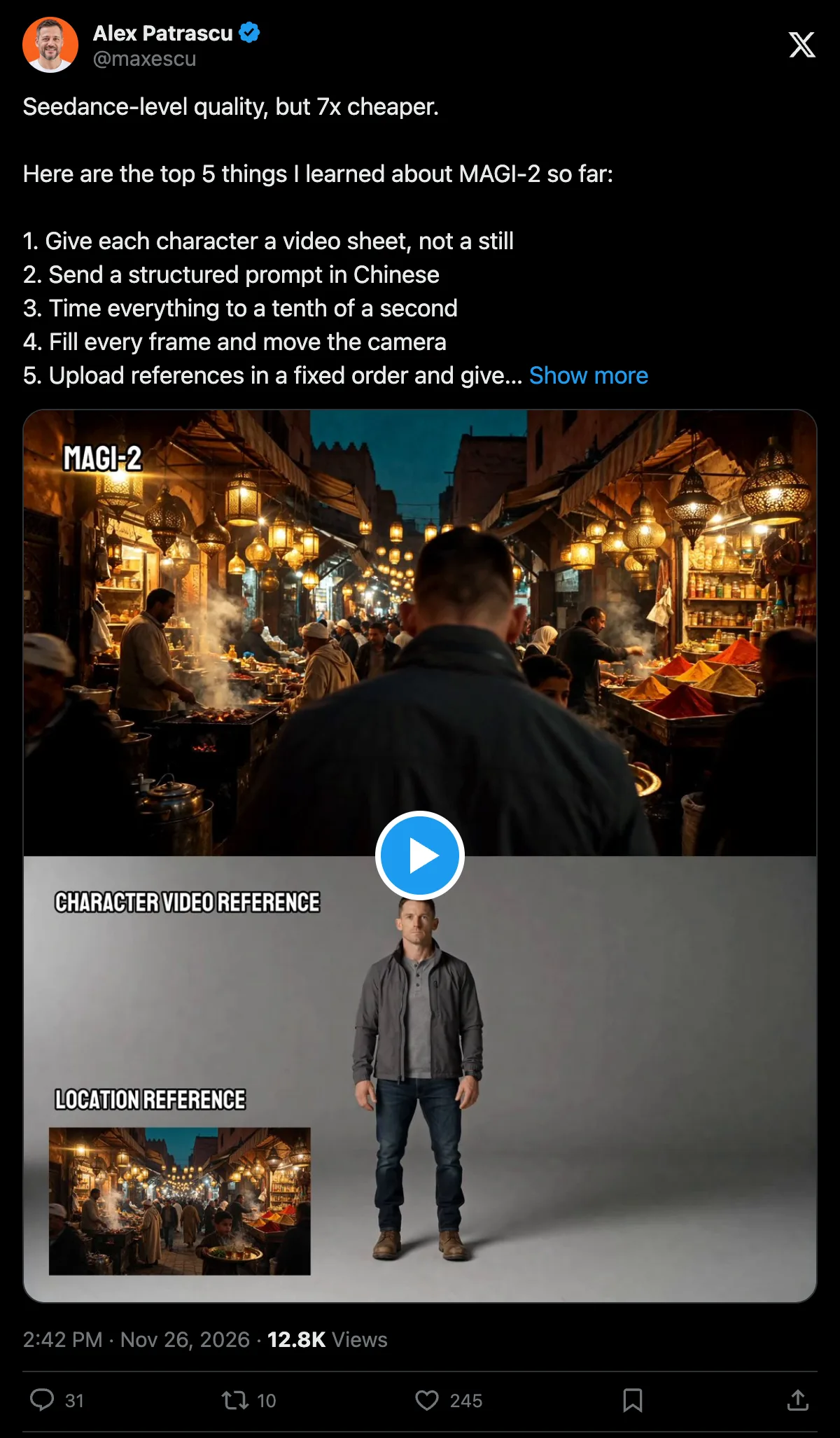
Post by @maxescu, November 26, 2026.
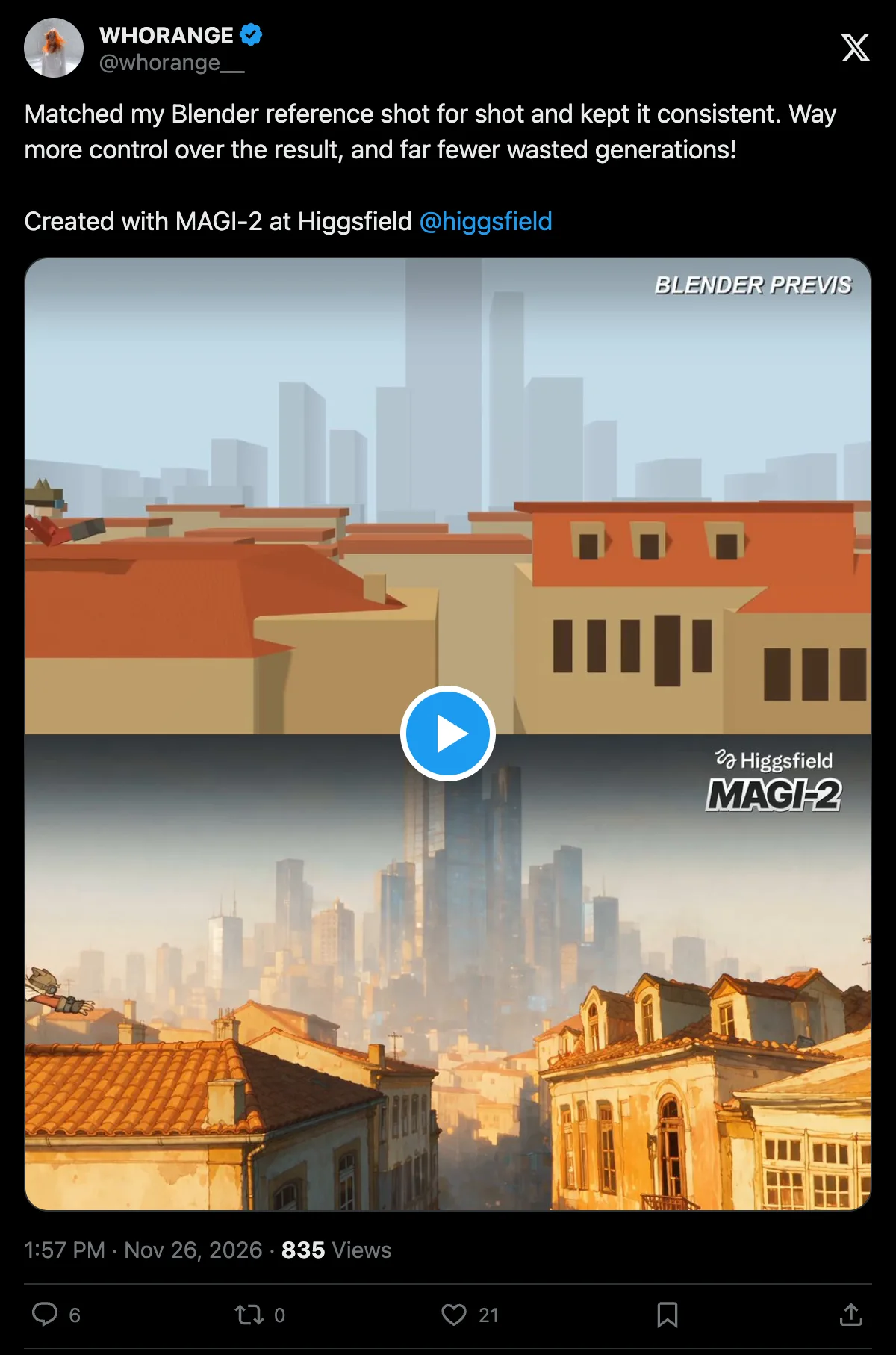
Post by @whorange__, November 26, 2026.
Results are not perfect. One tester found that faces did not always match the character sheet closely. If a face drifts, use a sharper, front-facing photo and repeat in the prompt which image the face comes from.
For long clips built on references, see how to make a 30-second MAGI-2 video.
How much does reference to video cost?
The same as any MAGI-2 video on Magi2.one: 24 credits per second of the finished clip at 1080p. References do not add to the price.
| Length | Credits |
|---|---|
| 5 seconds | 120 |
| 10 seconds | 240 |
| 15 seconds | 360 |
| 30 seconds | 720 |
See pricing for credit packs and plans.
FAQ
How many references can I use with MAGI-2?
On Magi2.one, up to 4 images and one video from 2 to 15 seconds in the same request.
Does the reference video set the length of my clip?
No. You choose the length of the finished video, from 4 to 30 seconds, and the credits follow that length.
Is the first frame my reference image?
No. In reference mode the images guide the result. If you want your photo as the first frame, use image to video.
Is Magi2.one the official MAGI-2 site?
No. Magi2.one is an independent site that runs MAGI-2 in the cloud. MAGI-2 is made by Sand.ai.
Make your own MAGI-2 video
Text to video and image to video online · 4 to 30 seconds · free trial
Start creating